Ads 468x60px

Slider(Do not Edit Here!)

.

Recent Post

Recent Comments

Future Video

Populer Post

Text

24 Şubat 2014 Pazartesi

TOP 10 New Reasons To Jailbreak

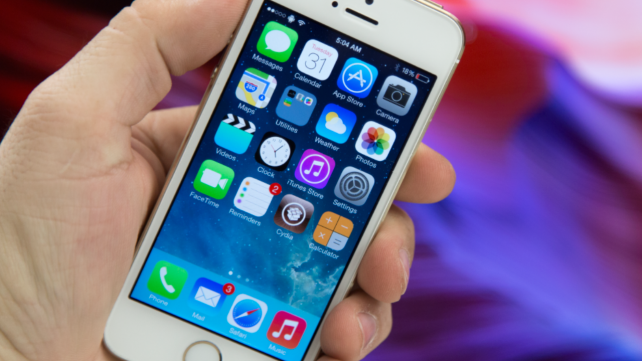
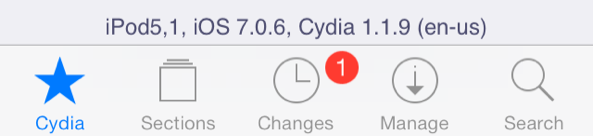
Evad3rs has released jailbreak iOS 7.0.6 for all iDevices, who can work on Apple's iOS 7.0.6. After jailbreak, you can install cydia store with new features. Today we post include information for all, who want install new cydia tweaks and addons. Ok. Let's go.  


1. CameraTweak 2 – $1.49 


2. Snapper – 99¢ 


3. ProximityCam – FREE 


4. ColorBadges – 99¢ 


5. SpotiSearch – 99¢ 


6. Gestr – 99¢ 


7. CCMeters – $1.00 


8. UIColors – $1.49 


9. Decode Camera for iOS 7 – $1.50 


10. iPadKeyboardBlur – FREE 

How To Jailbreak 7.0.6 With Evasi0n7 1.0.6


Category: Jailbreak iOS 7.0.6
Developer: Evad3rs Team
App: Evasi0n7
Version: 1.0.6 
iPhone + iPad + iPod Touch: Free [Link] (Windows & Mac)

Evasi0n7 (from Evad3rs) jailbreak utility for iOS 7.0.6 works perfect on iPhone 5s, iPhone 5c, iPhone 5 , iPhone 4S, iPhone 4 , iPad 2 , iPad 3 , iPad 4 , iPad Air, iPad mini, iPad mini 2 or iPod touch 5. You can install cydia store on your iOS 7.0.6 for free without registration.


Step 0: Make sure that the password on the device is disabled .

Step 1: Download Evasi0n7 utility from link (above), Extract .zip and Run "Evasi0n7"

Step 2: When the screen displays the message "To continue, please unlock your device and tap the new 'Jailbreak’ icon”,

            Unlock your gadget and get on your dagdets’s desktop a new icon «Jailbreak». Click on it. IPhone or iPad screen for a few seconds will turn white , and then will springbord .

Step 3: Evasi0n continue to jailbreak iOS 7.0.6

Step 4: When you see the message Done, the program can be closed. Now your device will reboot. Device startup process may take a long time (2 -3min) .

Step 5: After downloading, you will see the logo on a white background Evasi0n . Your device will reboot a second time.

Step 6: Congratulations, you have successfully done jailbreak iOS 7.0.6.

22 Şubat 2014 Cumartesi

How To Fix Big Security Problem with iOS 7.0.6


One of the worst day for Apple. Today we know that HTTPS haven't protected our credentials and privacy for 1 year. People on public WiFi networks in your schools, shops, offices and more..., please just don't use your iPhone, iPad or iPod Touch running on iOS 7.x if it's not updated to iOS 7.0.6. People (with no special talent) can grab any of your Facebook, Twitter, WhatsUp, Viber,  Mail passwords without you noticing now that they know how. The security of iOS < 7.0.6 is now so bad that I advice everyone to update quick. Hmm. All android smartphones has this problems, if you are android owner, you don't use your Android on public WiFi. Don't forget. Your passwords and credit card creds can be intercepted on networks.

"Evad3rs, What shall we do?"

If you have jailbroken iPhone, iPad or iPod Touch:

Step 1: BackUp your data
Step 2: Restore Your iDevice
Step 3: Jailbreak iOS 7.0.6 with new Evasi0n7 1.0.6
Step 4: Done. You can use your iDevices on public Wifi

If you have nonjailbroken iPhone, iPad, iPod Touch:

Step 1: BackUp your data
Step 2: Go to "Settings" > "General" > "Software Updates" > Install "7.0.6"
Step 3: Done. You can use your iDevices on public Wifi

Evasi0n iOS 7.0.6 Jailbreak


Evasi0n7 iOS 7.0.6 jailbreak has been released. 

How to make jailbreak?

Step 1: Download the latest version of iTunes 11 and offical jailbreak. Extract the archive and run it as administrator.

Step 2: Connect your iPhone, iPad or iPod touch to your Mac or PC, click the iTunes and make a backup copy of the data .

Step 3: Make sure that the password on the device is disabled .

Step 4: Evasi0n7 detects the device model . Button «Jailbreak» window becomes active , click it.

Now the application will perform hacking, reboot the device and download the installation packages . The procedure can take some time. In any case , do not interrupt the installation.

Step 5: When the screen displays the message "To continue, please unlock your device and tap the new 'Jailbreak’ icon”,

            Unlock your gadget and get on your dagdets’s desktop a new icon «Jailbreak». Click on it. IPhone or iPad screen for a few seconds will turn white , and then will springbord .

Step 6: Evasi0n continue to jailbreak iOS 7-7.0.4: appears on the screen overhead information about the process of jailbreaking .

Step 7: When you see the message Done, the program can be closed. Now your device will reboot. Device startup process may take a long time (2 -3min) .

Step 8: After downloading, you will see the logo on a white background Evasi0n . Your device will reboot a second time.

Step 9: Congratulations, you have successfully done 

Download Links ;

For Mac : Here!

For Windows : Here!

Enjoy!

iOS 7.0.6 Unoffical Jailbreak -For MAC-

How to jailbreak iOS 7.0.6 using Evasi0n 7


Step 1: Download Evasi0n7 1.0.5 (for iOS 7.0.6)
Step 2: Connect your iOS device running iOS 7.0.6 to your Mac
Step 3: Double click on Evasi0n7 to run. It should recognize your iOS 7.0.6 device
Step 4: Click jailbreak and follow the on-screen instructions
Step 5: Once the jailbreak is completed find the Cydia icon on your Home screen and open it to setup your device
Jailbreaking iOS 7.0.6 is extremely straightforward, and it’s highly recommended that you update to this latest firmware issued by Apple due to the security implications. If you have any questions or comments, leave a note down below.

Download Link ; 
For MAC : Here!

Jailbreak 7.0.6 Untethered -Evasi0n7 1.0.6- Utility.


Released on Friday iOS 7.0.6 update does't carry the potential danger to jailbreak. Designed for iPhone, iPod touch and iPad update can not disrupt the exploit used to hack iOS 7.0-7.0.5. Users who have jailbroken iOS 7 devices should upgrade to the new version. According to MuscleNerd, hackers have not yet had time to test the new firmware to be compatible with the exploit. There is a possibility that it covers important vulnerability in the OS.

Evad3rs team knows what impact iOS 7.0.6 jailbreak can have on. iOS 7.0.6 firmware is not dangerous to jailbreak, we wait for the update Evasion7, compatible with the new firmware. Soon.

Do not give in to provocations : you can download Evasi0n7 1.0.6 (today/tomorrow) 

iOS 7.0.6 Has Been Released


Apple has released iOS 7.0.6 for iPhone, iPod touch and iPad. It's a technical update, released three weeks after the release of iOS 7.0.5 (for iPhone 5S, 5C.), to fix a serious bug in the OS 7.

According to the description in automatic update, iOS 7.0.6 is a patch to solve the problems with verification of SSL-connection. "This security update fix problems when checking SSL- connection" - said in a description of updates. All iOS 7 owners can download iOS 7.0.6 for free. He has about 13 MB weighs and runs at number 11B651.

Install iOS 7.0.6 is available right now from the operating system settings by going to Settings - > General - > Software Update . Also, an update can be downloaded from the links at the end of the article and use iTunes to install the IPSW- file.


iOS 7.0.6 Download Links:

 
Blogger Templates